


With iOS 16 arriving earlier than macOS Ventura, customers obtained the power to shortly take away backgrounds from photographs with a few faucets on iPhone and iPad. Fortuitously, the aptitude can be accessible with macOS Ventura and is accessible in two other ways. Right here’s the way to take away backgrounds from photographs on Mac.
Beforehand restricted to third-party apps, eradicating the background from photographs robotically has typically meant blended outcomes. For a exact cutout, guide work in Photoshop, Pixelmator, or different software program has traditionally delivered the perfect outcomes.
Nevertheless, Apple has included spectacular picture background removing efficiency that’s nearly instantaneous in each iOS 16 and macOS Ventura. In our use, the function nearly at all times works precisely for individuals, pets, and inanimate objects.
The one draw back is that macOS robotically picks what it sees as the topic, there’s no guide management. Nevertheless it’s nonetheless a extremely helpful software.
Once you use both of the choices beneath, your Mac will create a PNG of the topic that you should use in picture modifying apps, shortly message to somebody, pop right into a observe, or use nevertheless else you’d like.
Immediately take away backgrounds from photographs on Mac
- Be sure you’re working macOS Ventura in your Mac
Within the Images app
- Choose a photograph within the Images app
- Proper-click on the picture
- Select Copy Topic
- As you hover over Copy Topic, you’ll see the background dim with the topic that you just’re auto-selecting exhibiting as highlighted – hold your mouse there and the highlighted line will transfer round all the things it’s going to seize
- Now you may paste the topic with out the background anyplace you’d like
Out of your Desktop/in Finder
- Discover a picture you’d prefer to take away the background for
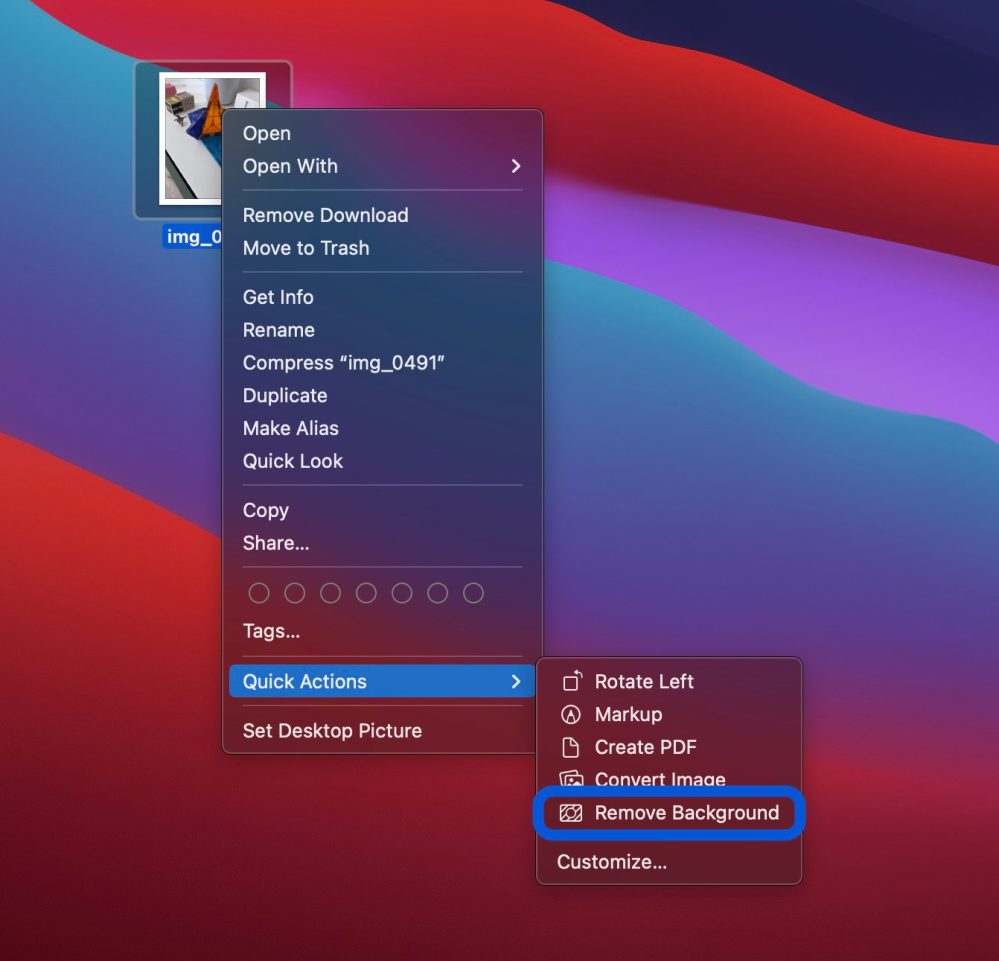
- Proper-click on the picture in Finder, your Desktop, and so on.
- Close to the underside, select Fast Actions then click on Take away Background
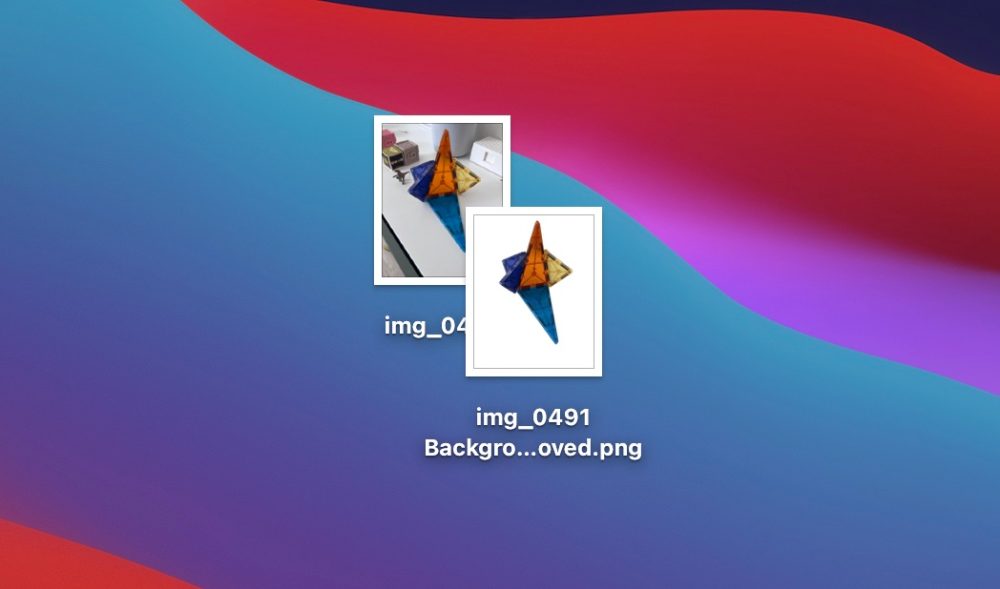
- The PNG copy of your picture with the background will seem in just a few seconds proper subsequent to the unique picture
What do you consider the brand new macOS Ventura functionality? Share your ideas within the feedback beneath.
Thanks for studying our information on the way to take away backgrounds from photographs on Mac!
Extra tutorials from 9to5Mac:
FTC: We use revenue incomes auto affiliate hyperlinks. Extra.

Take a look at 9to5Mac on YouTube for extra Apple information:

